HubSpot Lifecycle Stage and Lead Status Definitions Marketing and Sales Should Agree On

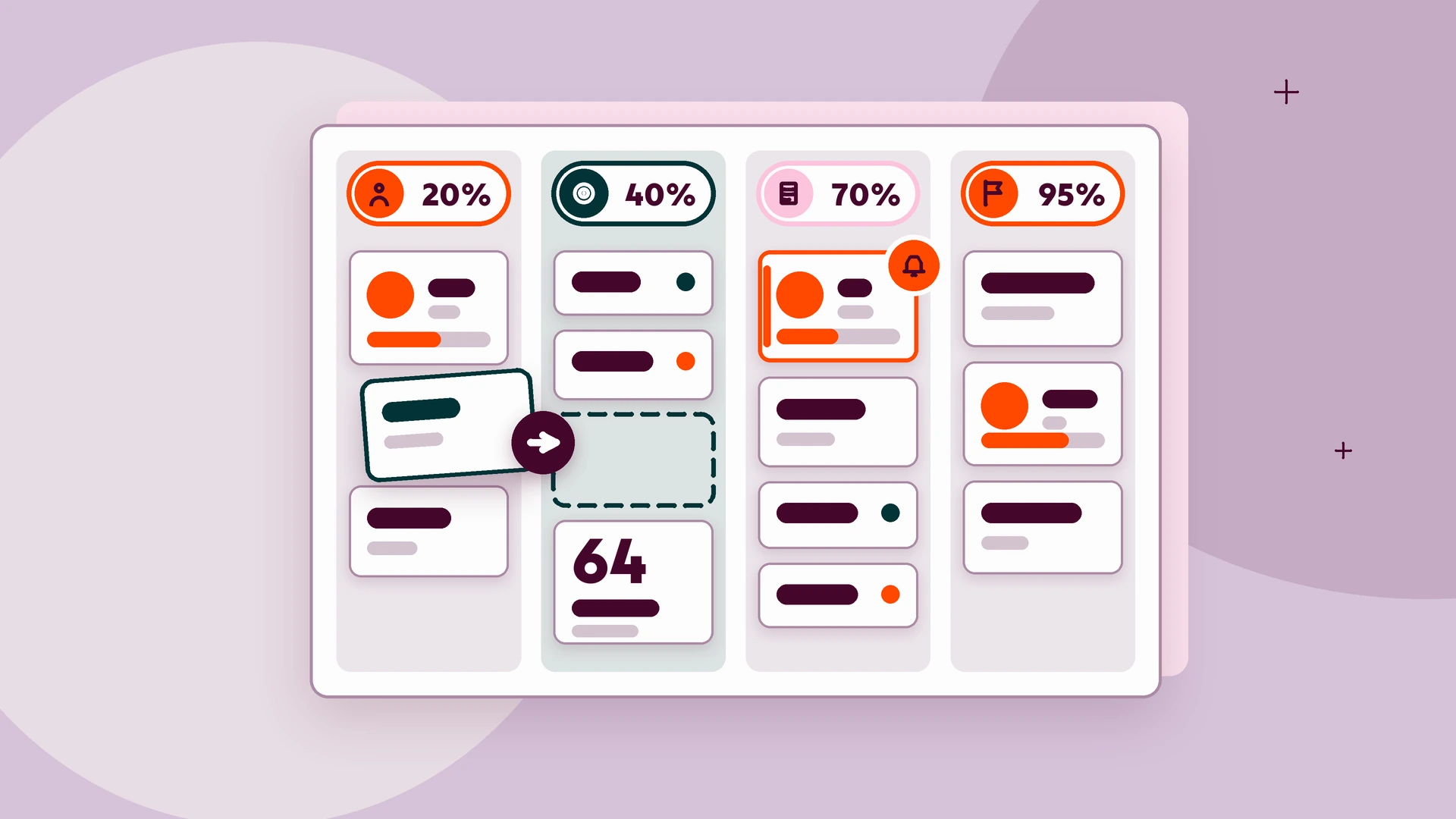
Agree on two fields. Lifecycle stage answers where the buyer is in the journey: Subscriber, Lead, MQL, SQL, Opportunity, Customer, Evangelist or Other, each with one owner, an entry rule and a trigger. Lead status answers what sales is doing with the lead right now: New, Attempted to Contact, Connected, In Progress, Open Deal, Unqualified or Bad Timing. Sign a handoff SLA and recycle rules.
Key takeaways
- Lifecycle stage records where a contact or company sits in your marketing and sales process, while Lead status records the sales sub-stage inside the Sales Qualified Lead stage.
- Give every move one owner: marketing owns Subscriber to MQL, sales owns MQL acceptance and every Lead status, and automation sets Opportunity and Customer on deal created and closed won.
- HubSpot's default automatic updates only move lifecycle stages forward, so handle rejected leads with Unqualified or Bad Timing instead of moving the stage backward.
- HubSpot documents an example workflow that creates a follow-up task when Date entered Sales Qualified Lead is more than 5 days ago, which you can use to enforce your handoff SLA.
- Keep the built-in Lifecycle stage property, because HubSpot's custom funnel reports calculate stages from its Date entered timestamps and custom properties can't be funnel steps.
What is the difference between lifecycle stage and lead status in HubSpot?
Lifecycle stage answers "where is this buyer in the journey?" and Lead status answers "what is sales doing with this lead right now?". This post gives you a definitions table for both fields, an owner and a trigger for each move, and a sign-off checklist.
Digitalegy is a HubSpot partner. The definitions below are built from HubSpot's public documentation, with no client data, so you can adapt them to your own portal.
HubSpot's guide to contact and company lifecycle stages says to use lifecycle stages to categorize contacts and companies by where they are in your marketing and sales processes, and that the stages track how records move forward. Lead status is narrower. The same guide says:
"The Lead Status property describes the sub-stages within a Sales Qualified Lead lifecycle stage." (HubSpot Knowledge Base)
The decision rule
- Use lifecycle stage for questions about the buyer's journey across teams: funnel conversion, stage reporting, which nurture or content a record receives.
- Use Lead status for questions about sales activity on a record in the SQL stage, including a rejected MQL: not contacted yet, trying, talking, qualifying, in a deal, disqualified or not now.
- Never let one field do the other's job. A rep who cannot reach a prospect changes Lead status to Attempted to Contact; the lifecycle stage stays where it is.
Once your stages are settled, How to Create Content by Lifecycle Stage in HubSpot helps you plan the content each stage needs.
What entry and exit criteria should each default lifecycle stage have?
Each stage needs a definition, one owner, an entry criterion a report can check, an exit criterion and the HubSpot trigger that moves it. The table below keeps HubSpot's wording where we quote it and adds owners, criteria and triggers.
HubSpot's default lifecycle stage definitions describe a Lead as a record that converted on your website or through another interaction "beyond a subscription sign up", an MQL as one "your marketing team has qualified as ready for the sales team", an SQL as one "your sales team has qualified as a potential customer", a Customer as one "with at least one closed deal" and Other as one that fits none of the stages. HubSpot also lets you select which lifecycle stages are set automatically when a deal is created or won. The table's wording for Subscriber, Opportunity and Evangelist is our own.
Lifecycle stage definitions table
| Stage | Definition | Owner | Entry criterion | Exit criterion | HubSpot trigger |
|---|---|---|---|---|---|
| Subscriber | Opted in to your blog or newsletter only | Marketing | Subscription form submitted | Converts on any other form or offer | Form submission |
| Lead | Converted beyond a subscription sign-up | Marketing | Content, event or contact form submitted | Score reaches the MQL threshold | Form submission |
| Marketing Qualified Lead | Qualified by marketing as ready for sales | Marketing | Score at or above the agreed threshold and fit criteria met | Rep accepts (SQL), or rejects (set to SQL first, then Lead status Unqualified) | Score threshold |
| Sales Qualified Lead | Qualified by sales as a potential customer | Sales | Rep accepts the MQL, or a demo request arrives | Deal created, or Unqualified or Bad Timing | Rep acceptance; a workflow then sets Lead status to New |
| Opportunity | Has an open deal with you | Automation; sales owns the deal | Deal created | Deal closed won (on closed lost, the stage stays at Opportunity and Lead status changes) | Deal created |
| Customer | At least one closed deal | Automation; customer success owns the account | Deal closed won | Advocacy agreed | Closed won |
| Evangelist | A customer who advocates for you | Customer success | Referral, review or case study agreed | None (last stage) | Form submission (referral form) or manual |
| Other | Fits none of the stages above | RevOps | Vendor, job candidate, competitor or employee identified | Becomes a buyer contact | Manual, by RevOps |
Which lead status values should sales use, and when is a lead Unqualified or Bad Timing?
Use a short set of statuses that describe sales activity on an SQL, and mark a lead Unqualified or Bad Timing instead of moving its lifecycle stage backward. Unqualified means do not sell to this record; Bad Timing means a fit buyer who is not ready yet.
HubSpot's guide to managing your sales process with lead status describes New as "leads you have not yet reached out to" and Attempted to Contact as "leads you have tried to reach out to but haven't been able to successfully connect with yet." The other values below are our recommended set.
Lead status definitions table
| Status | Definition | Owner | Entry criterion | Exit criterion | HubSpot trigger |
|---|---|---|---|---|---|
| New | Accepted SQL, no outreach yet | Sales rep | Lifecycle set to SQL | First call or email logged | Workflow on lifecycle stage change |
| Attempted to Contact | Outreach sent, no connection yet | Sales rep | First outreach logged | Two-way conversation, or cadence ends | Lead status change |
| Connected | Two-way conversation held | Sales rep | Reply or answered call | Discovery booked, or disqualified | Lead status change |
| In Progress | Discovery and qualification under way | Sales rep | Discovery meeting booked | Deal created, or disqualified | Lead status change |
| Open Deal | A deal is open | Automation | Deal created | Closed won or closed lost | Deal created |
| Unqualified | Not a fit, or not interested | Sales rep | Rejection with an agreed reason | Marketing nurture, or Other | Lead status change |
| Bad Timing | Fit, but no project now | Sales rep | Prospect names a later date | Recycle date reached | Lead status change |
If your portal also shows an Open status, hide or merge it, because In Progress and Connected cover it and reps should not use both.
Unqualified or Bad Timing?
- Unqualified: HubSpot notes that contacts "may become unqualified for a number of reasons" and that this status may also indicate an opportunity to send the lead back to marketing for a remarketing campaign.
- Bad Timing: right company and right person, no project this quarter. Set a recycle date and leave the lifecycle stage alone.
If your reps work in HubSpot's lead object, its default lead properties include Disqualification Reason (a list of reasons) and Lead Disqualification Note, so agree on the reason list before go-live. For records sent back to marketing, Lead Nurturing: What Every Marketing Professional Should Know helps you decide what happens next.
Who owns each stage and status change, and what is the MQL to SQL handoff SLA?
Marketing owns every move up to MQL, sales owns MQL acceptance and every Lead status, and automation sets Opportunity and Customer. We recommend two clocks: accept or reject each MQL within one business day, and escalate any SQL with no progress after 5 days.
Who owns each move
- Marketing: Subscriber, Lead and MQL, set by forms and the lead score.
- Sales: accepting or rejecting each MQL, the SQL stage and every Lead status value.
- Automation: Opportunity on deal created and Customer on closed won, with sales owning the deal itself.
- Customer success: Evangelist.
- RevOps: Other, any backward move and the weekly audit.
The handoff SLA
The first clock (one business day to accept or reject an MQL) is our recommendation; build it as a task or alert on MQLs that wait too long. For the second clock, HubSpot's lifecycle documentation gives a ready example: a workflow that triggers a follow-up task for the contact owner when the contact's Date entered Sales Qualified Lead is more than 5 days ago.
Consider adding an account-level check to the MQL definition. In a 2023 Forrester blog post, the firm wrote that clients had told it that when they delivered three or more buying group members to sales, they saw a 50% increase in their conversion rates from meetings to closed-won.
For revenue leaders who want help aligning marketing and sales processes and definitions in HubSpot, see our revenue operations service.
Should lifecycle stages ever move backward, and how do you recycle leads without losing reporting?
As a rule, no: let lifecycle stage record the furthest point a record reached and use Lead status for setbacks. When you must recycle a record, move it deliberately so the stage history survives.
HubSpot's tooling is built around forward movement. Default automatic updates only move the stage forward, the lifecycle stage sync settings "will not set lifecycle stage values backwards", and an import can only update a lifecycle stage forward. In a workflow, moving a stage backward means you first clear the property, then add another action to set the new stage.
HubSpot says the new lifecycle stage calculated properties will not be cleared when you move a lifecycle stage backwards.
Recycle rules to agree on
- Rejected MQL: set the lifecycle stage to SQL first, then set Lead status to Unqualified with a reason; lifecycle stays at SQL; record joins a marketing nurture.
- Bad Timing: a task fires on the recycle date; lifecycle stays.
- Closed lost: lifecycle stays at Opportunity; Lead status becomes Bad Timing or Unqualified.
- True recycle to Lead: only RevOps, only through the clear-then-set workflow, with the reason recorded on the record.
How do you automate stage and status changes with workflows, lead scoring and deal creation?
Use a lead score for the MQL threshold, workflows for routing and the SLA, and HubSpot's lifecycle automation settings for Opportunity and Customer. Each trigger in the tables maps to one of these.
HubSpot's lead scoring guide says lead scores assign numerical scores based on property values and event actions, which can help you find the records that are the best fit or the most engaged. In the guide's example configuration from one customer, when a contact meets a defined score threshold, a workflow assigns them to a sales rep. That team applies 50% score decay every three months to each rule, and turns off re-enrollment so contacts are only routed to sales once.
Build order
- Build a score that combines fit and engagement, and set the MQL threshold you signed off.
- Workflow: score reaches the threshold, so set lifecycle stage to MQL, assign an owner and notify the rep.
- Workflow: lifecycle changes to SQL, so set Lead status to New.
- Workflow: Date entered Sales Qualified Lead is more than 5 days ago and Lead status is still New or Attempted to Contact, so create a follow-up task.
- Lifecycle automation settings: set Opportunity when a deal is created and Customer when it is won, since HubSpot lets you have a deal's pipeline stage update associated companies and contacts.
- Workflow: Lead status changes to Unqualified or Bad Timing, so enroll the record in the matching nurture.
If you want to set qualification criteria and prequalify leads automatically with the HubSpot Breeze AI agent before they reach sales, read How Do You Automatically Prequalify Leads With AI in HubSpot?
How long does it take to agree on shared definitions, and what are the risks of skipping the agreement?
Plan on about four weeks from the first workshop to a live, audited setup; this is our recommended plan, not a benchmark. Skipping the agreement leaves each team reporting on its own definitions, and funnel reports that nobody trusts.
- Week 1: workshop with marketing, sales and RevOps; adapt the two tables; sign the checklist.
- Week 2: build the score and workflows, and test them on a handful of records.
- Weeks 3 and 4: run live, review the weekly audit, adjust the threshold once.
The first risk is broken reporting. HubSpot's custom funnel reports calculate stages from automatically updated Date entered [stage] timestamps, and custom properties can't be used as funnel steps, so a team that tracks "its" MQL in a custom field disappears from funnel conversion. The second is counting the wrong thing: Forrester wrote in 2023 that its research had shown fewer than 1% of leads converted to closed deals.
The one-page agreement checklist
- MQL threshold: score of ____ plus the fit criteria that must also be true.
- SQL acceptance SLA: accept or reject within ____ business hours; escalation after ____ days in SQL without progress.
- Rejection reasons: the agreed list for Unqualified.
- Recycle rules: default Bad Timing recycle date of ____ days; backward moves by RevOps only.
- Owners: one named owner per stage and status, as in the tables.
- Weekly audit: records per stage, SQLs past SLA, SQLs with no Lead status, records with no stage; reviewed by ____ every ____.
- Sign-off: marketing leader ____, sales leader ____, RevOps ____, date ____.
If you are setting up or rebuilding your HubSpot portal, including properties and integrations, see our HubSpot implementation service.
How do you audit a portal where stages are already inconsistent, and which reports show the definitions work?
Measure how far records drift from the new definitions, fix the definitions first, then fix the data in the right direction. After go-live, three reports tell you whether the rules hold.
Audit steps
- Count records in each lifecycle stage, plus records with no stage.
- List contradictions: Customers without a closed won deal, Opportunities with no deal, SQLs with no Lead status, Unqualified leads still in sales sequences.
- Review 20 records per stage with marketing and sales together and compare each one to the table.
- Correct forward moves by import; make backward moves only with the clear-then-set workflow described above.
- Turn on scoring and routing workflows only after the data matches the definitions.
Reports that show the definitions work
- Stage conversion: custom funnel reports analyze conversion rates between stages. Watch MQL to SQL and SQL to Opportunity month over month.
- SLA breaches: contacts whose Date entered Sales Qualified Lead is more than 5 days ago with Lead status still New.
- Rejection mix: Unqualified records by reason, reviewed with marketing each month to tune the MQL threshold.
Frequently asked questions
Do lifecycle stages apply to companies as well as contacts?
Yes. HubSpot uses lifecycle stages for both contacts and companies, and a deal's pipeline stage can update both. Agree in writing which object is your reporting unit, so marketing and sales count the same thing.
Can a record skip MQL and go straight to SQL?
Yes. HubSpot's own example of a forward-only automatic update jumps from Subscriber to Opportunity. A demo request can go straight to SQL; record its source so MQL reports do not undercount marketing's contribution.
Should we customize HubSpot's default lifecycle stages or create new ones?
We recommend keeping the default stages in the built-in Lifecycle stage property and adapting their definitions, owners and triggers, rather than tracking stages in a separate custom property. Add a new stage option to the built-in property only when every team agrees on its entry and exit criteria, and never move stages to a custom field, for the funnel report reason covered in the section on the risks of skipping the agreement.
Does Lead status still matter once a deal exists?
Only as Open Deal. From deal creation, the deal stage tells you what sales is doing, so reps update the deal, not the contact. Lead status matters again only if the deal is lost and the record is recycled.
How often should we revisit the definitions?
Our recommendation is a quarterly review, plus a review whenever you add a product, a segment or a new inbound channel. Use the rejection mix and stage conversion reports as the agenda, and re-sign the checklist when a threshold or SLA changes.
Sources
- Use contact and company lifecycle stages, HubSpot Knowledge Base (October 20, 2026)
- Automatically set and sync record lifecycle stages, HubSpot Knowledge Base (November 16, 2026)
- How to Manage Your Sales Process in HubSpot With Lead Status, HubSpot (May 11, 2025)
- HubSpot's default lead properties, HubSpot Knowledge Base (August 17, 2026)
- Saying Goodbye To MQLs: A Parting That Is All Sweet And No Sorrow, Forrester (November 21, 2023)
- Update the lifecycle stage of contacts or companies in bulk, HubSpot Knowledge Base (January 15, 2026)
- Build lead scores to qualify contacts, companies, and deals, HubSpot Knowledge Base (November 18, 2026)
- Create custom funnel reports, HubSpot Knowledge Base (May 30, 2026)
Want help putting this into practice?