


If you have a sales team in Latin America, you probably know this headache: lots of leads come in, but half of them don't have the right profile. Your salesperson ends the day exhausted from answering basic questions and scheduling appointments with people who are never going to buy, and even so, the real opportunities go cold because no one got to them in time.
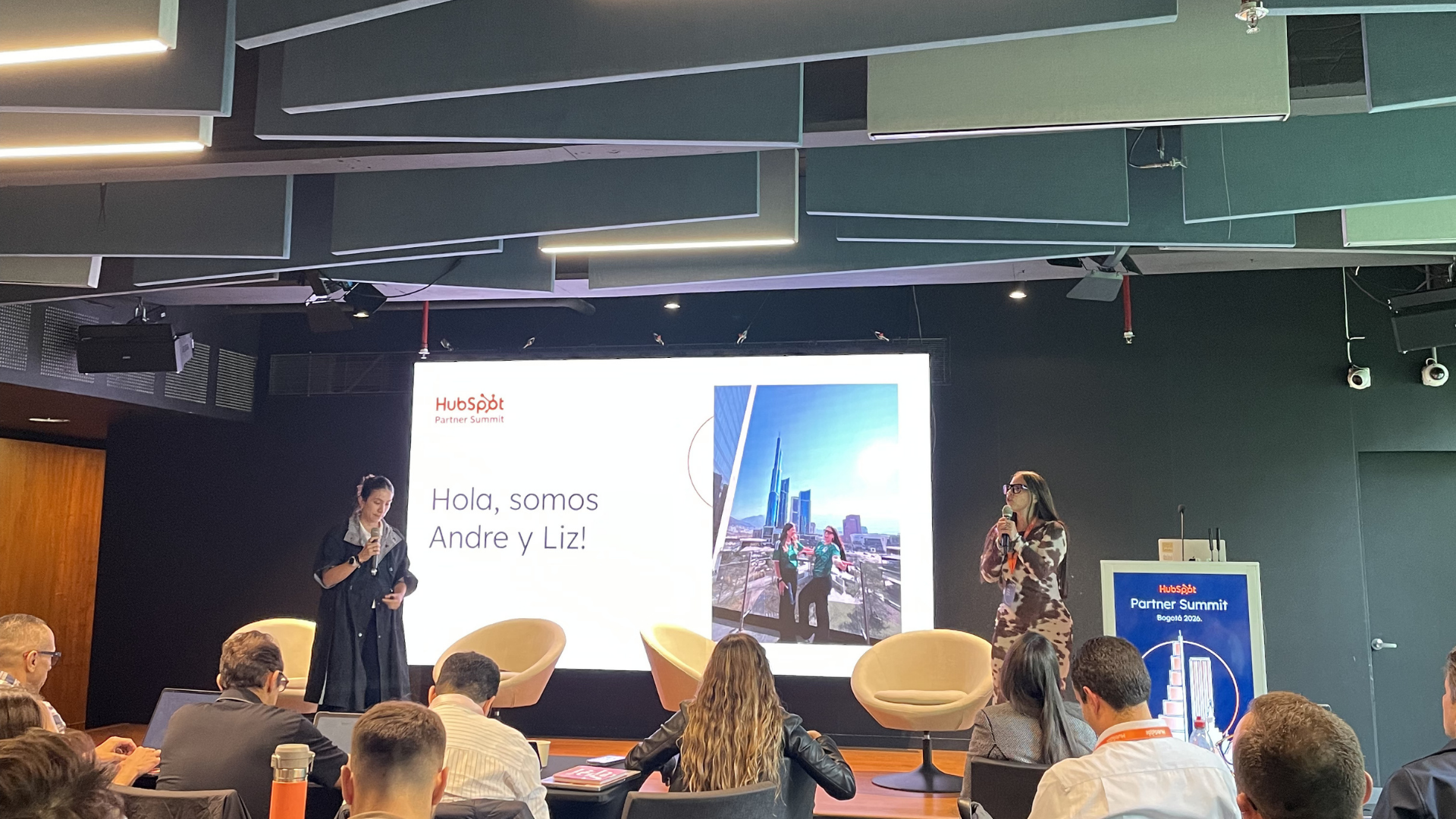
The good news is that this already has a solution, and it doesn't require hiring more people or investing months in a complex implementation. At the most recent HubSpot Partner Summit LATAM held in Bogotá, specialists Liz Quintero and Andre galindo demonstrated live how the HubSpot AI Customer Agent can automatically prequalify leads, update the CRM in real time, and send only qualified prospects to your salesperson's calendar.
What is automatic AI lead prequalification in HubSpot?
Automatic lead prequalification is the process by which an artificial intelligence agent, in this case the HubSpot Customer Agent (Breeze AI), holds a natural conversation with a prospect, asks them the key questions to determine whether they fit the ideal customer profile, updates those answers directly in the CRM, and, depending on the result, moves them to the next step of the funnel without human intervention.
Put simply: your agent filters, qualifies, and schedules. Your salesperson just closes.
Why is the traditional lead qualification process failing LATAM companies?
Has your sales team turned into a human form?
One of the most powerful observations from the session in Bogotá was this: many sales teams get to their discovery calls and end up asking the customer an endless list of questions, as if it were a form. How many salespeople do you have? What technology do you use? What's your budget?
This creates two serious problems:
- The prospect disengages because they feel they're being interrogated, not advised.
- The salesperson wastes time on leads that clearly didn't qualify from the very first question.
Consultative selling, where the agent understands the business, adds value, and guides the conversation, is exponentially more effective. But to reach that level of conversation, you first need context. And AI can gather that context before the human steps in.
How much is not having this in place costing you?
According to data shared at the Partner Summit LATAM, companies that use the HubSpot Customer Agent report up to 391% greater effectiveness in generating new business, cross-selling, and resolving requests compared with traditional processes. In addition, between 50% and 65% of closed deals at companies with an active installed base come from existing customers, a market that many partners and companies are letting slip away for lack of automated follow-up.
How does lead prequalification with the HubSpot agent work, step by step?
Step 1: Define your 10 strategic properties in the CRM
HubSpot lets you configure up to 10 contact properties that the agent can check and update during a conversation. The key is choosing them well. It's not about cramming in every possible field, but about selecting the 10 data points that truly determine whether a lead is a real opportunity for your business.
Example for a real estate company in Colombia:
- Budget available for the purchase
- Geographic area of interest
- Estimated decision timeline
- Lead source (campaign, referral, organic)
- Number of people in the household
These properties are the ones your agent will try to collect naturally during the conversation, without the prospect feeling like they're filling out a form.
Step 2: Activate the beta lead qualification feature
In HubSpot, once you request access to the prequalification beta, you'll find the option in the left menu under Actions > Qualification > Edit.
This is where you define between 2 and 5 qualification criteria: the minimum requirements a prospect must meet to be considered a qualified lead. They can be questions about budget, location, industry, team size, or any variable relevant to your business model.
If the prospect meets all the criteria, the system automatically directs them to the salesperson's calendar through a meeting link. No intermediate steps, no additional workflows, no waiting until the next day.
Step 3: Set up lead assignment rules
Once the criteria are set up, the system applies automatic logic:
- 100% qualified lead → Goes straight to the salesperson's calendar to book a meeting.
- Unqualified lead → The agent politely lets them know and doesn't use up a credit (more on this below).
- Lead in progress → The agent updates the CRM properties with the information collected for future follow-up.
Step 4: Train your agent on your brand's tone and style
Beyond qualification, the agent should sound like part of your team. In the channels and responses settings, you can define:
- The communication tone (formal, friendly, technical)
- The exact moment the contact record is created in the CRM (at the start of the conversation or after the first question is answered)
- Answers to frequently asked questions in your industry
How much does the HubSpot agent cost? The new per-resolution model
What changed with HubSpot Breeze AI's pricing model?
This is one of the most important announcements made at the Partner Summit LATAM in Bogotá, and one that many companies still don't know about: HubSpot moved from charging per conversation to charging per resolution.
Under the previous model, every conversation consumed credits regardless of the outcome. Now, the system only deducts credits when these two conditions are met:
- The prospect didn't ask to speak with a human during the conversation.
- The prospect didn't give a negative rating (the equivalent of a "thumbs down") at the end.
In practical terms: if the agent couldn't resolve the request and the user asked for a human agent, that credit isn't charged. This is a radical change for companies that were hesitant to implement the tool because of the cost.
The current price is approximately USD $0.05 per successful resolution, which makes this feature one of the highest-ROI tools available today in the HubSpot ecosystem.
Real use cases: In which LATAM industries does automatic prequalification work best?
Real estate: separating real buyers from the merely curious
Real estate agencies receive dozens of inquiries every day, but most come from people who are "exploring" with no real intention to buy. The agent can naturally ask about the available budget, area of interest, and decision timeline. Only those who fit the profile are passed on to the salesperson. Those who don't qualify receive a friendly response, and that credit isn't charged.
Financial sector: reducing unnecessary branch visits
In banking and finance, the agent can resolve frequent inquiries (balances, product requirements, credit terms) without the customer needing to visit a branch or open a support ticket. This reduces operating costs and frees up the human team for the cases that truly require it.
SaaS and technology: qualifying trials and demos
For software companies that offer free trials, the agent can prequalify users interested in a demo, identify their company size and specific use case, and book the meeting with the right sales executive, all automatically.
What if all my leads want to talk to a human? The honest answer
This was a real question that came up during the Partner Summit, and the answer was just as direct: if most of your leads need a human to move forward, the agent isn't the solution for that specific channel.
The recommendation is not to force automation where it doesn't make sense. Instead, identify which lifecycle stage is the most repetitive, the most expensive, or the one that creates the most friction, and apply the agent there. It could be initial prequalification, appointment scheduling, sending contract information, or post-sale support.
Smart automation doesn't replace the salesperson. It empowers them by giving them more time for what really matters: closing.
How do you measure the agent's impact on your sales results?
HubSpot includes a Customer Agent analytics dashboard in the Analytics and Reports section of the side menu. From there, you can monitor:
- Total conversations resolved vs. handed off to a human
- Lead qualification rate
- Average resolution time
- Impact on credits consumed vs. saved
This data is key not only to optimizing the agent but also to demonstrating ROI.
Where should you start if you want to implement this today?
You don't need to wait months or have a huge budget. The first step is to identify 3 questions your sales team asks on every discovery call that could be answered before the salesperson steps in. Those 3 questions are the core of your first prequalification flow.
At Digitalegy, we've helped companies in Colombia, Mexico, and across the region implement these processes. We know every industry has its own particularities, and that's why we don't sell templates but tailored solutions.
Conclusion: Your next salesperson already works 24/7 and charges for results
Automatic lead prequalification with HubSpot Breeze AI isn't the future; it's already available, it already works, and there are already companies in LATAM generating results with it. The per-resolution pricing model eliminates the risk of "paying for nothing," and the native integration with the CRM means every conversation enriches your database in real time.
The question isn't whether you should implement it. The question is which customer or industry you're going to start with today.
Ready to activate your first prequalification agent in HubSpot?
At Digitalegy, we help you set up, train, and optimize your Customer Agent in less time than you think.
👉 Schedule a free 15-minute consultation and tell us which stage of your sales process has the biggest bottleneck. We'll show you live how to solve it.
Don't forget to share this post!


