


You'll learn how to create an account and your first campaign in Google Ads.
In the world of Digital Marketing, Google Ads is one of the most effective ways to reach our goals.
What Is Google Ads?
Google Adwords stopped being called that on July 24, 2018, when the well-known Google tool was renamed Google Ads.
The tool changed many things, mainly in its styles and features, such as:
- Creating and editing responsive search ads in the mobile app.
- Machine learning within reach of every advertiser.
- New landing page parameter options.
If you want to learn more about these changes, you can find out here
Google decided to modify a large part of the tools available to individuals and businesses.
Google Ads allows everyone who uses its platform to create and publish ads aimed at improving their visibility across the entire Google network. This method of acquiring users or customers is the one most used by agencies and experts to achieve greater reach across the Internet.
Today, almost 25% of all clicks generated by users come from ads created on the Google Ads platform.
Before You Create Your Google Ads Account, Keep in Mind That...
The first thing we need to do before creating your Google Ads account is:
- Think carefully about what your goals are.
- What exactly do you want to achieve with your campaigns?
If you're already clear on this, let's create the Google Ads account!
How Do I Create My Google Ads Account?
We'll need to go to https://ads.google.com/intl/es_es/home/.
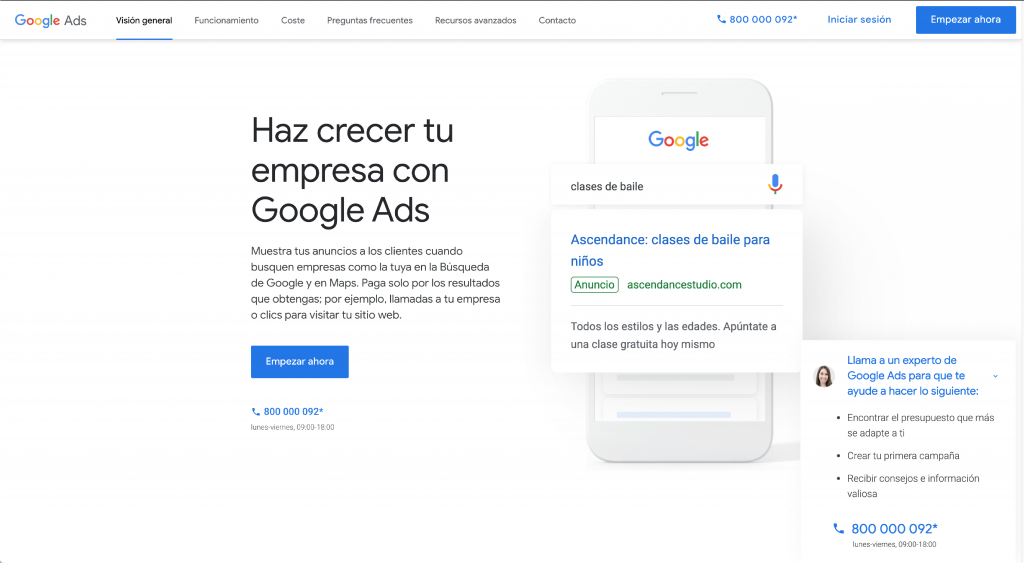
We'll see a window like this:To create your Google Ads account, we need to have a Google account, since that's the first thing Google Ads will ask for to sign up for its tool. If we don't have one, we'll need to create one at: https://accounts.google.com/.
Note: We can fill out the following steps with mock information until we reach the billing details, because if our goal is only to create our Google Ads account, it's not necessary to complete this entire process.
Define the Campaign Goal
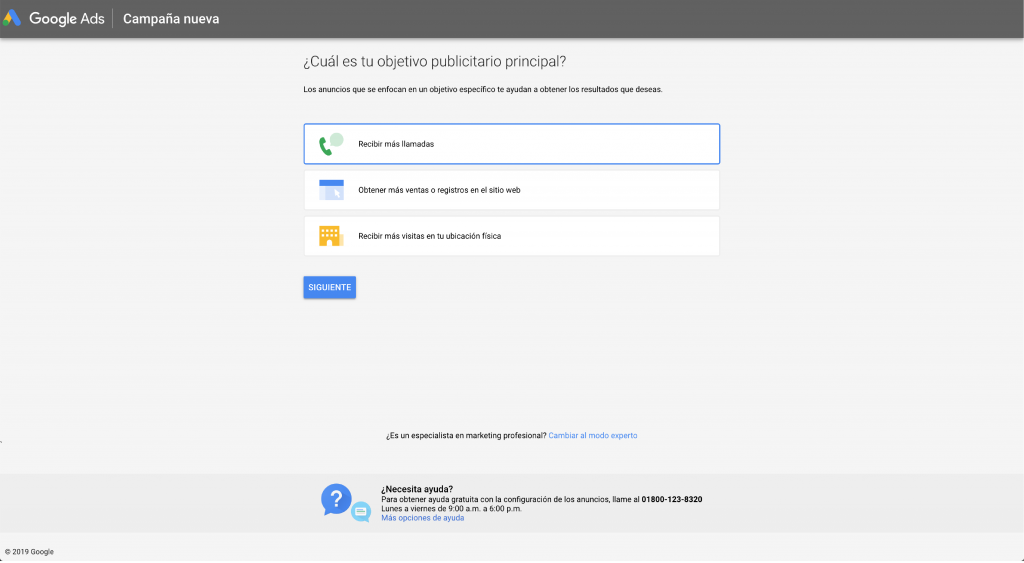
In the next section, it will ask us to create our first campaign. As a first step, we'll need to define the goal of our first campaign; it shows us only three goals, which are:
- Get calls: This helps us generate phone calls to our offices or locations, depending on our company's or business's line of work.
- Get more sales or sign-ups on our website: This helps us generate some type of conversion on our website or sell some type of product or service.
- Get more visits to your physical location: This helps us display the physical address of our locations so users can visit us.
Describe the Company
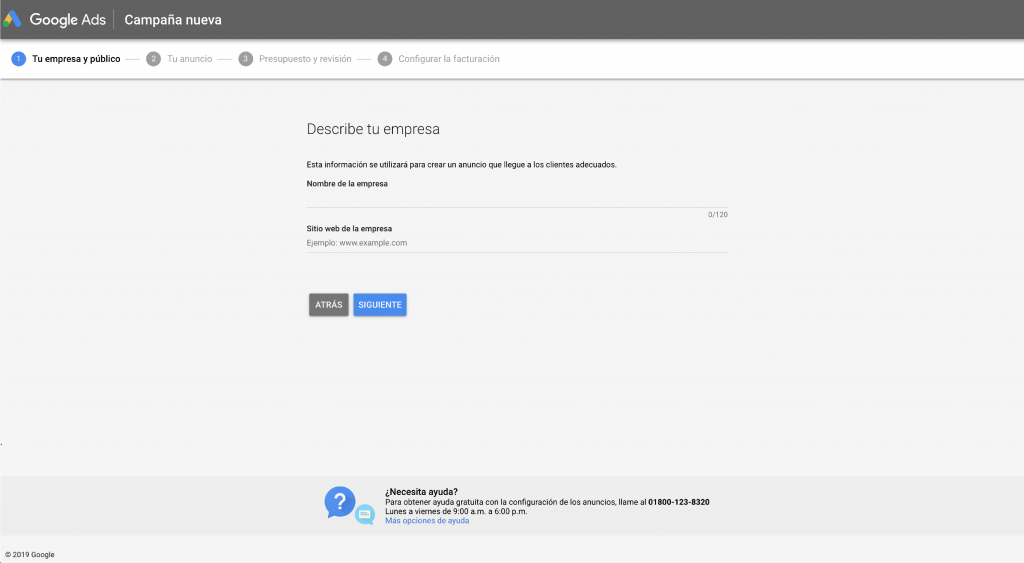
The next section we'll find is a welcome window where we'll need to register our Google account and the address of the website we're going to advertise.
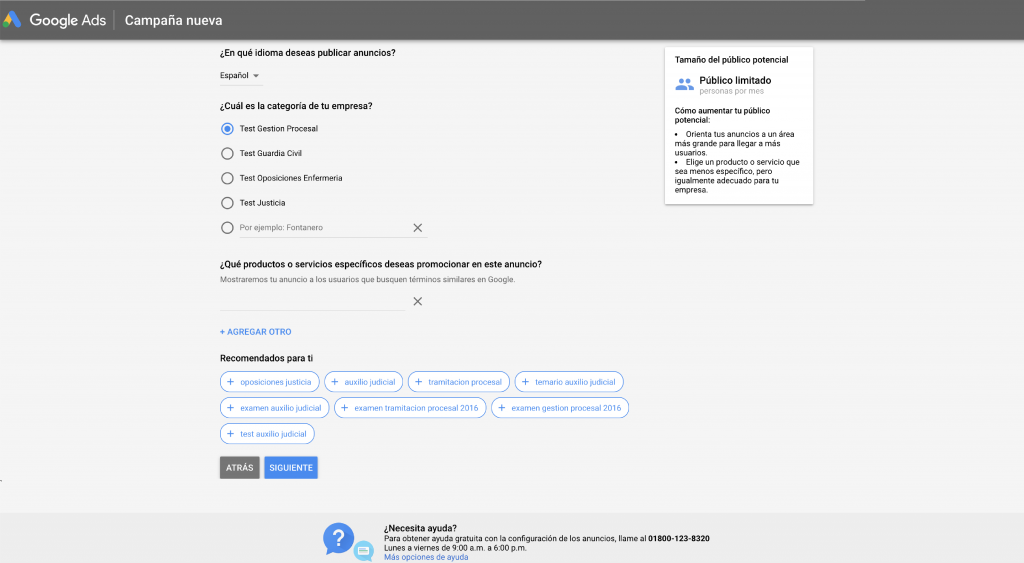
Defining the Target Audience
In this next section, we'll define our target audience by asking ourselves:
- Where are our customers?
- In what professional areas do we want to find them?
- In what geographic locations do we want our ad to appear?
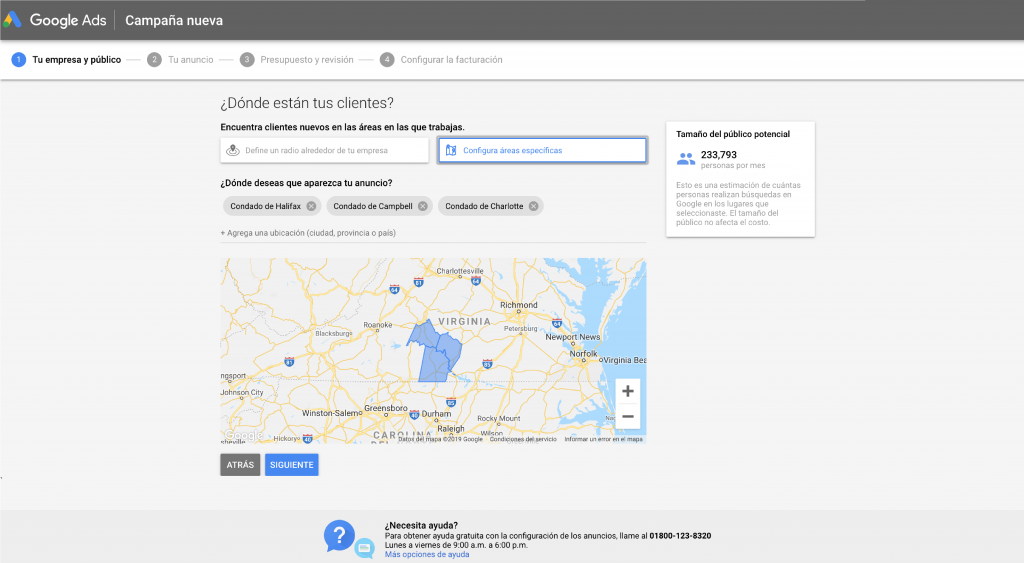
In this section, we'll define our audience depending on what we want to advertise: products or services.
Write Our Ad
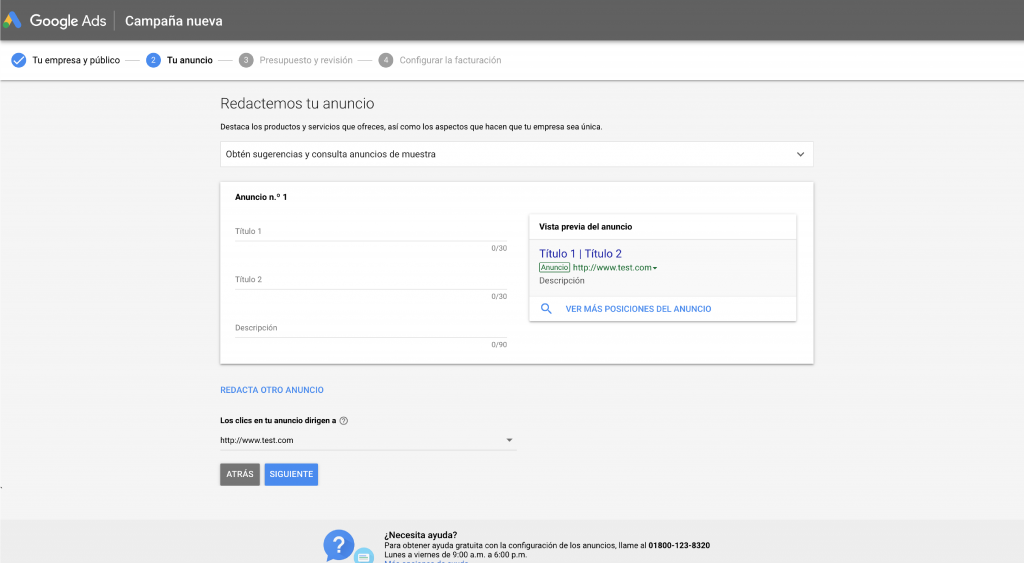
Here we'll need to write the Google Ads ad we want to show our target audience, including:
- Our destination page, or landing page, where we'll be directing our audience.
- At least 2 headlines, each with a maximum of 30 characters.
- A display URL
- And two description lines of up to 90 characters each.
Define Our Budget
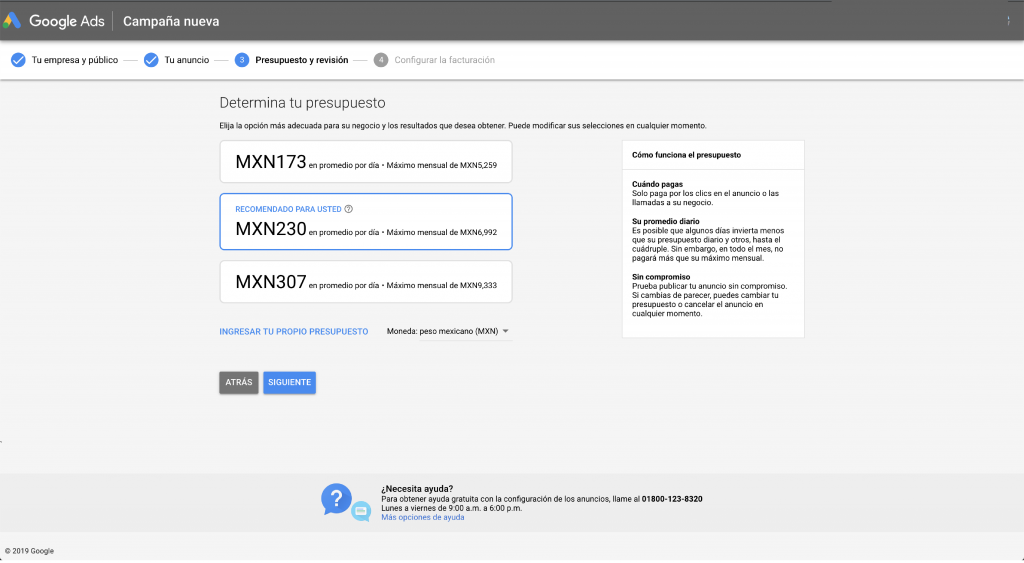
We'll choose the option best suited to our ad and the results we want to achieve. We can change this at any time.
Review Our Campaign
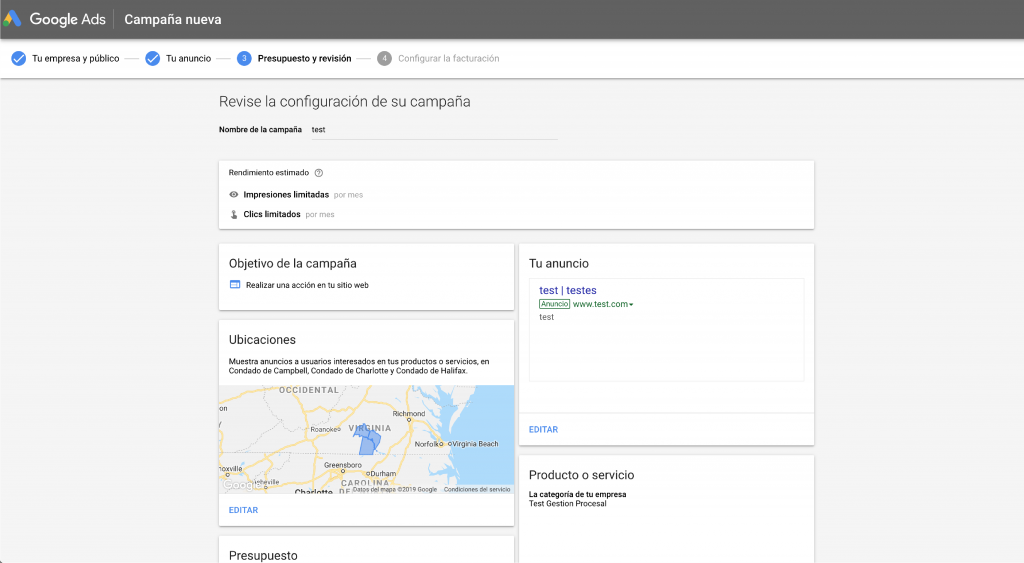
We'll check everything we did, in case we're not fully convinced about our ad at some point in our setup.
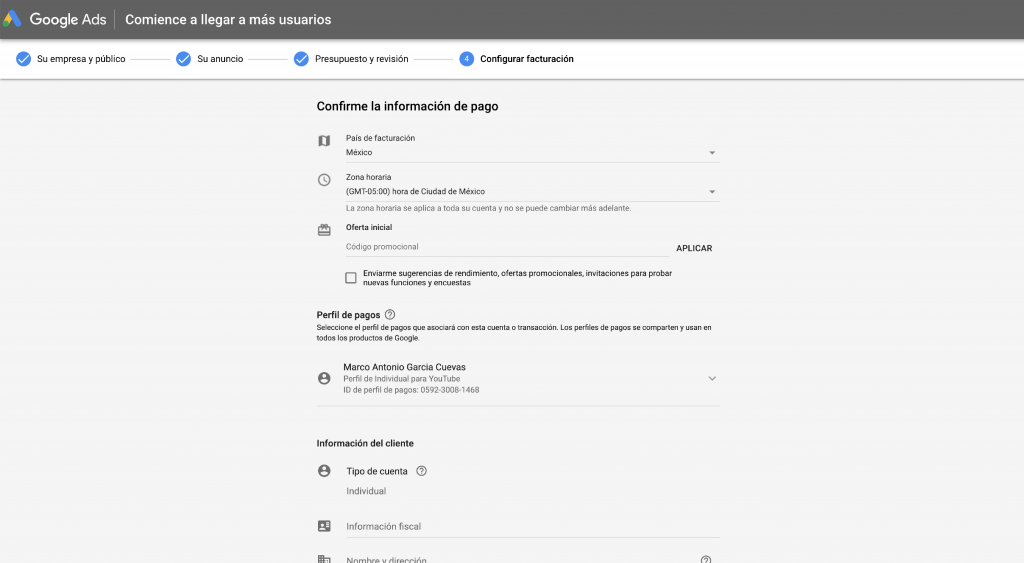
Payment Information
* This is the most important part when we open our first Google Ads account, since everything before it can be completely simulated up to this point.
If we want to try out or test Google Ads tools, such as the keyword planner, or you're simply curious, we can skip this process (and the previous ones).
But if that's not the case, we need to pay close attention to the information we're going to provide to Google Ads, which is as follows:
- Billing country: The billing country is one of the few things Google Ads won't let us change in the future, so we need to be very sure about the country we choose for payment receipts.
- Payment profile: We'll select the payment profile we'll associate and fill in the fields with the information corresponding to the Google Ads account
- Monthly Payments: We'll add a balance to our Google Ads account, and it will decrease each time a cost is incurred. If our account runs out of funds, our service will be interrupted until we add credit again.
- Payment Methods: We can choose to have payments withdrawn from our bank account or add credit via bank transfer, bank deposit, or in-store payment.
- Finally: We'll carefully review the Terms that Google Ads sets for using this service.
Note: If our only goal is to create the Google Ads account, we need to pause our first campaign, but if we want to create our account and first campaign, let's leave it running.
Done! Start generating your ads across the entire Google Network

Don't forget to share this post!
