How to Consolidate a RevOps Tool Stack Around HubSpot as Your System of Record

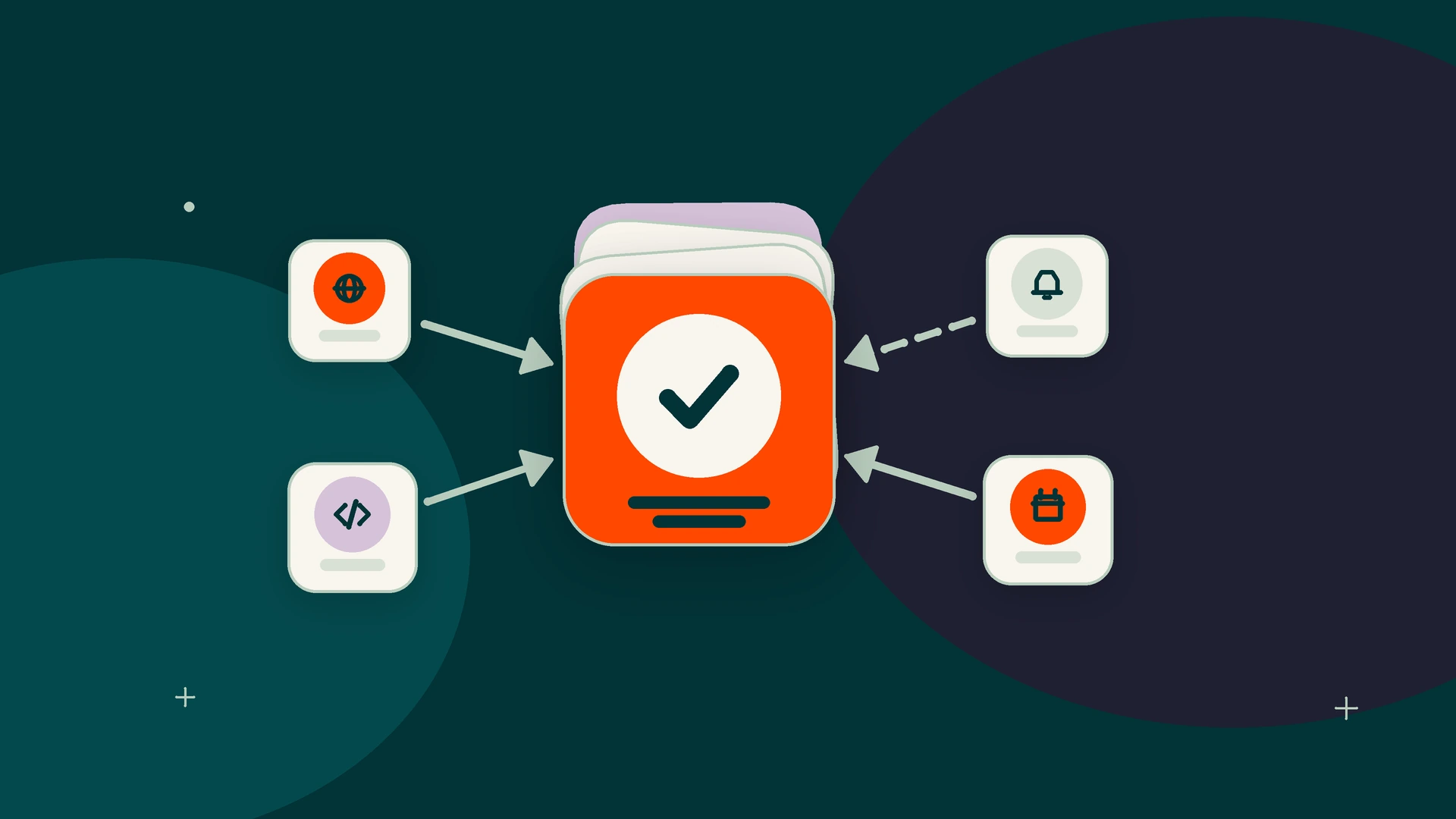
Name HubSpot the system of record for customer and pipeline data, and leave finance data with your ERP or billing tool. Then inventory every tool, score each on data ownership, overlap with HubSpot features, integration depth, user adoption and renewal date, and sort it into keep, replace or integrate. Define the data model and clean data before you migrate or retire anything.
Key takeaways
- Digitalegy is a HubSpot partner.
- HubSpot should own contacts, companies, deals and activity, while an ERP or billing system stays the system of record for invoices and financial data.
- Inventory six fields for every tool before deciding anything: owner, users, data created, integrations, cost and renewal date.
- Score each tool 0 to 2 on data ownership, HubSpot overlap, integration depth, adoption and renewal date: 7 to 10 means replace, 4 to 6 integrate, 0 to 3 keep.
- Work in sequence (data model, cleaning, integrations, migration, parallel run, retirement, measurement) and never retire a tool first.
- HubSpot merges cannot be reverted and Smart Transfer moves data one way, so audit and clean data in the source app before moving it.
What does system of record mean, and what should HubSpot own?
A system of record is the single system where a type of data is created, maintained and treated as the reference when systems disagree. In a HubSpot-centered stack, HubSpot owns customer and pipeline data, and your ERP or billing system keeps financial data.
Digitalegy is a HubSpot partner. We recommend HubSpot as the system of record for the customer domain when marketing and sales already work in it; the real design question is where that ownership stops.
"It is where data for a given domain is created, updated, governed, and maintained as the official reference, and where other systems defer when discrepancies arise." (Ivanti's system of record glossary)
Ivanti adds that leading organizations operate multiple systems of record, each scoped to a specific domain, that an ERP system may be the system of record for financial data, and one rule worth printing: "Don’t let multiple systems claim the same role."
In HubSpot, ownership is expressed through the data model. HubSpot's guide to objects names 3 main components of its data model: objects, properties and associations. All objects run on the same data platform, which lets you associate records and report on them.
| Data domain | System of record | How other tools relate |
|---|---|---|
| Contacts, companies, deals and activity | HubSpot | Enrichment, forms, chat and scheduling write to HubSpot properties |
| Pipeline reporting | HubSpot | BI tools read from HubSpot; spreadsheets stop holding pipeline |
| Invoices, payments and sales orders | ERP or billing | Status synced to HubSpot, edited only at the source |
| Product usage | Product database | Key signals synced as HubSpot properties |
This split is our recommended starting point, not a HubSpot rule. If your fragmentation shows up as failed handoffs and undefined SLAs between marketing and sales, read Identify and Resolve RevOps Bottlenecks in 2026 as well.
How do you audit your current RevOps tool stack?
List every tool with its owner, users, the data it creates, its integrations, its cost and its renewal date, then ask the people who use it how they actually use it. That inventory feeds every keep, replace or integrate decision.
A 2023 Salesforce article on reducing sales tech bloat advised starting with a list of every tool the team used daily, what each one cost and its renewal dates, updated quarterly. It also suggested a direct adoption test: "Ask your reps how they use each one."
For a consolidation, capture six fields per tool:
- Owner: the person who approves changes and signs the renewal.
- Users: licensed seats versus people who logged in last month.
- Data created: the records and fields the tool writes, and whether any of it exists nowhere else.
- Integrations: what it connects to, in which direction, and who maintains it.
- Cost: annual spend, including add-ons and unused seats.
- Renewal date: the date and the cancellation notice period, which is often the real deadline.
Stack audit template
Copy this into a spreadsheet, one row per tool. Typical owners and data are filled in; replace them with yours, and check overlap against HubSpot's knowledge base for the edition you own.
| Tool category | Typical owner | Data created | Overlap with documented HubSpot features | Integration option | Renewal date | Verdict |
|---|---|---|---|---|---|---|
| Enrichment | RevOps | Firmographics, job titles, phone numbers | [none, partial, full] | [native, API, CSV, none] | [date, notice] | [keep, replace, integrate] |
| Sales sequencing | Sales leader | Email steps, replies, tasks | [none, partial, full] | [native, API, CSV, none] | [date, notice] | [keep, replace, integrate] |
| Meeting scheduling | SDR lead | Booked meetings, attendee contacts | [none, partial, full] | [native, API, CSV, none] | [date, notice] | [keep, replace, integrate] |
| Forms | Marketing ops | Submissions, new contacts, consent fields | [none, partial, full] | [native, API, CSV, none] | [date, notice] | [keep, replace, integrate] |
| Chat | Marketing or support | Conversations, new contacts | [none, partial, full] | [native, API, CSV, none] | [date, notice] | [keep, replace, integrate] |
| Reporting and BI | RevOps or finance | Dashboards, blended metrics | [none, partial, full] | [native, API, CSV, none] | [date, notice] | [keep, replace, integrate] |
| Spreadsheets | Whoever built them | Shadow pipelines, territories, commission math | [none, partial, full] | [native, API, CSV, none] | [date, notice] | [keep, replace, integrate] |
| Quoting | Sales ops or finance | Quotes, line items, discounts | [none, partial, full] | [native, API, CSV, none] | [date, notice] | [keep, replace, integrate] |
How do you decide whether to keep, replace or integrate each tool?
Score each tool 0 to 2 on five criteria and add the scores: 7 to 10 means replace with HubSpot, 4 to 6 means integrate, and 0 to 3 means keep. A tool that is the system of record for a non-CRM domain is always integrated.
The three verdicts mean different work:
- Keep: the tool stays and needs no new sync, because it exchanges little CRM data or its connection already works.
- Integrate: the tool stays, connected to HubSpot with defined field mappings and a clear winner for each field.
- Replace: the function and its data move into HubSpot, and the tool is retired at renewal.
Five-criteria scoring rule
| Criterion | 0 | 1 | 2 |
|---|---|---|---|
| Data ownership | System of record for a non-CRM domain (finance, billing) | Creates some data HubSpot does not hold | Creates only data HubSpot can hold |
| Overlap with HubSpot features | No documented equivalent in your edition | Partial equivalent | Documented equivalent covers your use |
| Integration depth | Working sync with mapped fields and conflict rules | One-way or partial sync | No sync; CSV or manual copying |
| User adoption | Used daily and valued by its users | Mixed use | Few active users or constant workarounds |
| Renewal date | More than 12 months away | 6 to 12 months away | Under 6 months, or no contract |
Add the five scores (maximum 10). Two overrides apply: a tool scored 0 on data ownership is integrated whatever its total, and a tool scored 0 on overlap cannot be replaced, because HubSpot has nothing to replace it with.
Judge integration depth carefully. HubSpot's article on data sync field mappings explains that mappings determine three things: which data syncs, in which direction, and how conflicts are handled. If a tool's sync already answers all three for every field, score it 0 on integration depth and lean toward keeping it, since its connection already works. The 2023 Salesforce article also suggested re-evaluating each tool's primary use to see whether single-function tools could give way to multifunction ones; ask users before you score adoption.
In what order should you consolidate your stack?
Define the system of record and data model first, then clean data, build integrations, migrate, run old and new in parallel, retire tools and measure. The order matters because every later step depends on field definitions and sync rules that only the first step sets.
Hypothetical example stack (an illustration, not a client, with no real figures): a 150-person B2B services company runs HubSpot alongside a sequencing tool, a scheduling tool, a standalone form builder, an enrichment tool, a BI tool, pipeline spreadsheets and NetSuite for invoicing. Overlap scores assume the team checked its own HubSpot edition.
| Tool | Ownership | Overlap | Depth | Adoption | Renewal | Total | Verdict |
|---|---|---|---|---|---|---|---|
| Sequencing | 2 | 2 | 1 | 1 | 2 | 8 | Replace |
| Scheduling | 2 | 2 | 2 | 1 | 1 | 8 | Replace |
| Form builder | 2 | 2 | 1 | 2 | 2 | 9 | Replace |
| Pipeline spreadsheets | 2 | 2 | 2 | 1 | 2 | 9 | Replace |
| Enrichment | 1 | 1 | 1 | 1 | 0 | 4 | Integrate |
| BI tool | 1 | 1 | 0 | 0 | 0 | 2 | Keep |
| NetSuite (ERP) | 0 | 0 | 1 | 0 | 0 | 1 | Integrate (override) |
- Define the system of record and data model. HubSpot owns contacts, companies and deals; NetSuite owns invoices and sales orders. The team creates the properties replaced tools need, such as meeting source and consent fields. HubSpot's data model recommendations let you "skip the manual work of setting up your data model".
- Clean data. Audit and deduplicate spreadsheet pipelines and form exports before you import them. For apps that Smart Transfer supports, HubSpot's Smart Transfer guide lists this step: "Audit the existing data in your other app before transferring to HubSpot."
- Build integrations. HubSpot's NetSuite integration lets you configure sync for five record types: contacts, companies, deals, invoices and sales orders. Map the enrichment tool and decide which system wins each field.
- Migrate. Move form history and spreadsheet deals into HubSpot; rebuild sequences and meeting links in HubSpot if your edition's documentation confirms those features.
- Run in parallel. Keep old tools read-only for at least one full reporting cycle and compare numbers.
- Retire tools. Export an archive, cancel before each notice deadline, and remove dead integrations and workflow references.
- Measure. Compare results against the baseline captured before step 1.
Skip the order and it shows: migrate before properties exist and data lands in the wrong fields; integrate before cleaning and duplicates sync both ways; retire before the parallel run and a reporting gap surfaces at month end.
How long does a consolidation take, and what drives cost and time?
We cannot cite a reliable universal timeline: duration depends on how many tools you replace, how much data moves, how many integrations you build and when contracts renew. Plan the calendar around renewal dates.
To estimate your own timeline, count the steps in the sequence for each replaced tool and set the parallel run to at least one full reporting cycle.
These are the levers that push time and cost up or down:
- Integration scope: each synced object adds mapping and testing. HubSpot's NetSuite integration alone covers 5 record types, and syncing all five is more work than syncing two.
- Data condition: duplicates, blank emails and inconsistent domains add cleaning time before any import.
- Number of replaced tools: each needs rebuilt workflows, training and a parallel run.
- Custom objects and executive reports: these take longer to rebuild and validate than standard ones.
- Decision speed: unresolved ownership disputes stall step 1, and everything waits on step 1.
Our recommendation: phase the work by renewal date. Replace the tools renewing soonest first, and keep long contracts on the integrate list until their term ends.
What are the main risks, and how do you reduce them?
The four main risks are data loss, broken workflows, reporting gaps and user pushback. Each has a control, and most controls are already steps in the consolidation sequence.
- Data loss. HubSpot's duplicates manager guide is blunt: "Merged records cannot be reverted." Export a backup and test merge rules on a sample first. Syncs can overwrite data too: HubSpot's field mapping article warns, "If the sync defaults to the third-party app, the phone number in HubSpot will be overwritten by the number listed in your third-party app." Settle all three mapping decisions (data, direction, conflicts) before you connect.
- Broken workflows. Before retiring a tool, list every workflow, list, report and integration that references its fields, then rebuild or remove each one.
- Reporting gaps. Rebuild the reports leaders actually use before cutover and compare old and new numbers during the parallel run.
- User pushback. The adoption score protects tools reps value. When you do replace one, involve its users in rebuilding the process and train them before the cutover date.
How do you migrate and clean data so duplicates do not move into HubSpot?
Clean data in the source app before you transfer it. HubSpot automatically deduplicates contacts by email address and companies by domain name, so records those two keys do not catch can arrive as duplicates.
HubSpot's deduplication article confirms the 2 automatic keys: email for contacts, domain for companies. The Smart Transfer guide says to "Audit the existing data in your other app before transferring to HubSpot." A practical order:
- Export each source and count records, blanks and obvious duplicates.
- Standardize emails and company domains, the two keys HubSpot uses to deduplicate automatically.
- Decide merge rules: which record survives and which values win.
- Map every source column to a property defined in step 1; drop fields nobody uses.
- Import a small sample, check it, then run the full transfer.
- Review what remains in the duplicates manager (first confirm that your HubSpot subscription includes it), which HubSpot describes as a tool to identify, review, and resolve duplicate contact and company records.
Smart Transfer moves data one way, from other apps to HubSpot, so treat it as a migration tool, not a sync. If incomplete or duplicate contacts worry you, read How to Improve Data Quality in RevOps with HubSpot's AI Tools before migrating.
How do you measure whether consolidation worked?
Capture a baseline before the first change and compare the same measures after the parallel run ends: tools and spend, data quality, manual handoffs, speed and report trust.
Pull these from the audit and from HubSpot before step 1:
- Tools and spend: number of tools and total annual cost.
- Duplicates: contact and company duplicates flagged in the duplicates manager if your subscription includes it, or counted in your own exports if it does not.
- Completeness: share of records with required properties filled.
- Manual handoffs: CSV exports and imports per month between tools.
- Speed to lead: time from form submission to first sales touch.
- Report trust: leadership reports still built outside HubSpot.
For definitions, see What Are the Essential RevOps KPIs for Measuring Success in 2025? After cutover, keep the audit alive: the 2023 Salesforce article recommended updating the tool list quarterly, and a quarterly review also catches new point tools before they become shadow systems.
When should you bring in an implementation partner instead of doing it in house?
Run it in house when a RevOps owner has time, the data model is simple and integrations are few. Bring in a partner when an ERP sync, custom objects, a large migration or a close renewal deadline raise the cost of a mistake.
Signals that favor outside help:
- You need an ERP or billing sync. HubSpot's NetSuite integration covers contacts, companies, deals, invoices and sales orders, and each mapping needs a conflict rule.
- Your data model needs custom objects and associations designed from scratch.
- Several replacements must land before the same renewal date.
- No one internally can own the project from audit to measurement.
Digitalegy is a HubSpot partner. Our HubSpot implementation service covers customized integrations and technology integration for consolidation projects, and our revenue operations services add process optimization when handoffs need redesign. Scaleups weighing who should run the work can read How to Choose a RevOps Consulting Firm for a Fast-Growing B2B Scaleup.
Frequently asked questions
Who should own the system of record decision inside the company?
Give the decision to one accountable owner, usually the RevOps lead or the revenue leader, with finance signing off on the domains it keeps. Write down the owner of each data domain so disputes do not stall the data model step.
How do we handle a tool whose contract auto-renews mid-project?
Put the cancellation notice date, not the renewal date, on the project plan. If the replacement cannot be built and run in parallel before that date, renew for the shortest term you can get, keep the tool on the integrate list, and re-score it before the next notice date.
What if two tools both hold the same customer data?
Pick one of them as the system of record for that data and write the decision down. The other tool either reads from it through a mapped sync with a clear winner for each field, or moves to the replace list.
Do we need a finished data model before starting?
You need the system of record and core properties defined. If you don't want to apply every element of a HubSpot data model recommendation, you can save it as a template and apply the changes later, so you can build in stages.
What do we do with activity history from a retired sequencing tool?
Export the full history as an archive before you cancel, and agree with the sales team which activity, if any, reps need on HubSpot records. Keep the archive where RevOps and sales leaders can reach it after retirement.
What if a tool scores on the line between integrate and replace?
Let the renewal date decide. If the contract runs another year, integrate now and re-score before renewal.
Sources
- What is a System of Record (SoR)? IT Jargon Explained, Ivanti
- How to use objects for business processes, HubSpot Knowledge Base (October 2, 2026)
- Too Many Sales Tools? Here Are 4 Steps To Reduce Tech Bloat, Salesforce (June 7, 2023)
- Understand your data sync field mappings, HubSpot Knowledge Base (January 21, 2026)
- Define your data model with recommendations, HubSpot Knowledge Base (August 7, 2026)
- Transfer data from other apps using HubSpot Smart Transfer, HubSpot Knowledge Base (November 4, 2026)
- Connect HubSpot and NetSuite, HubSpot Knowledge Base (September 29, 2026)
- Review and manage duplicate records, HubSpot Knowledge Base (October 23, 2026)
- Deduplicate records in HubSpot, HubSpot Knowledge Base (October 2, 2026)
Want help putting this into practice?