How to Use MCP to Connect Claude to HubSpot and Your RevOps Tools

MCP (Model Context Protocol) is an open standard that lets Claude reach tools and data. HubSpot's connector for Claude runs on HubSpot's MCP server, and each other tool needs its own connector. This post maps each link by connector type, data direction and write access, with one rule: start read-only, then add writes one tool at a time after a named owner signs off.
Key takeaways
- MCP is an open standard for AI applications to connect to tools and data, so one protocol replaces a custom integration for every data source.
- HubSpot's connector for Claude needs a paid Pro, Max, Team or Enterprise plan, while custom remote MCP connectors also run on Free, limited to one.
- The HubSpot connector can view, create and update records, cannot delete them, and caps bulk creates or updates at 10 records at a time.
- In an analysis of over 5,200 open-source MCP server implementations, Astrix found 53% relied on static secrets such as API keys, so review any third-party server before you connect it.
- Start every tool read-only, and add write access one tool at a time only after that tool's named owner signs off and the audit trail is tested.
What is MCP, and how is it different from a regular API integration?
MCP is an open standard that gives AI applications one shared way to connect to outside tools and data. A regular API integration is built for one pair of systems; with MCP, a tool is exposed once through a server and AI applications connect to it as clients.
Model Context Protocol (MCP) is, in the words of the MCP documentation's introduction to the protocol, "an open-source standard for connecting AI applications to external systems." The same page offers a comparison:
"Just as USB-C provides a standardized way to connect electronic devices, MCP provides a standardized way to connect AI applications to external systems."
The difference from a regular API integration is the number of builds. Anthropic's announcement introducing MCP described the old problem: "Every new data source requires its own custom implementation, making truly connected systems difficult to scale." MCP replaces those "fragmented integrations with a single protocol." Developers expose a tool's data through an MCP server (the program that offers a tool's data and actions), and an AI application such as Claude acts as the MCP client that connects to it.
In Claude, a configured connection is called a connector. The Claude Help Center guide to connectors says connectors "let Claude access your apps and services, retrieve your data, and take actions within connected services." For RevOps planning, use this as a working rule: a native integration moves data between two systems on rules you set in advance, while an MCP connection lets Claude read or act in a tool when a person asks.
How do you connect Claude to HubSpot today, and which Claude plans support it?
There are three routes: HubSpot's connector for Claude, HubSpot's remote MCP server for teams building their own agent, and any other MCP server added as a custom connector. HubSpot's connector requires a paid Pro, Max, Team or Enterprise plan.
Digitalegy is a HubSpot partner.
If your team already works in Claude, start with HubSpot's connector rather than a server you assemble yourself. HubSpot's developer guide to its MCP server says "HubSpot's own AI connectors for Claude, Microsoft Copilot, Gemini, and ChatGPT are powered by this server," and that the server itself "is for builders who need to integrate HubSpot data access into an agent they're creating."
| Route | Connector type | Plans named in the documentation | Use it when |
|---|---|---|---|
| HubSpot connector for Claude | Vendor-hosted, built by HubSpot | Paid Pro, Max, Team or Enterprise, per HubSpot's connector setup article | Your team uses Claude chat with HubSpot data |
| HubSpot remote MCP server | Remote MCP server hosted by HubSpot | Depends on the agent you build | You are building your own agent |
| Any other MCP server that reaches HubSpot | Custom connector to a remote server | Free (one custom connector), Pro, Max, Ultra, Team and Enterprise, per the Claude guide to custom connectors | Rarely, and only after a source review |
That guide lists custom connectors on Claude, Cowork and Claude Desktop, and notes that Free users are limited to one custom connector.
On the HubSpot side, according to HubSpot's setup article, during approval "Super Admins select which data permissions the connector can access and who in the account can install it." The connector "currently supports view, create, and update actions but does not support delete operations," and bulk creates or updates are limited to 10 records at a time. For the object-by-object list, read What Claude Can Read and Change in HubSpot Through the Connector before you grant access.
Which other RevOps tools can you connect through MCP, and which should you add first?
The Claude documentation gives Linear, Slack and Google Drive as connector examples, and custom connectors can reach other services. Add first the tool that answers a question your team asks every week and does the least harm if its content is read wrongly.
The Claude connectors guide gives these examples: "you can connect Claude to Linear to create issues, to Slack to send messages, or to Google Drive to search your files." This post's sample stack adds calendar, docs, a data warehouse and a support tool to HubSpot. Score each candidate before you connect it:
- Weekly question: name the question it helps answer, for example "which open deals had no meeting in 30 days?" No question, no connection.
- Read is enough: prefer tools where reading delivers the value and writing can wait.
- Outside content: tools full of text written by customers or strangers, such as tickets, carry more prompt injection risk, so add them later.
- Named owner: the tool has an admin who will sign off on scopes and answer for the connection.
Applied to the sample stack, that scoring puts docs and calendar right after HubSpot, and the warehouse and support tool last. Gartner's guidance points the same way: in a June 2025 Gartner press release reprinted by BigDATAwire, Gartner said that at this early stage it recommends agentic AI "only be pursued where it delivers clear value or ROI." Plan limits matter too: on the Free plan you get one custom connector. If you still need to decide which tools to keep at all, start with How to Consolidate a RevOps Tool Stack Around HubSpot as Your System of Record.
What does a multi-tool connection map look like with HubSpot as the system of record?
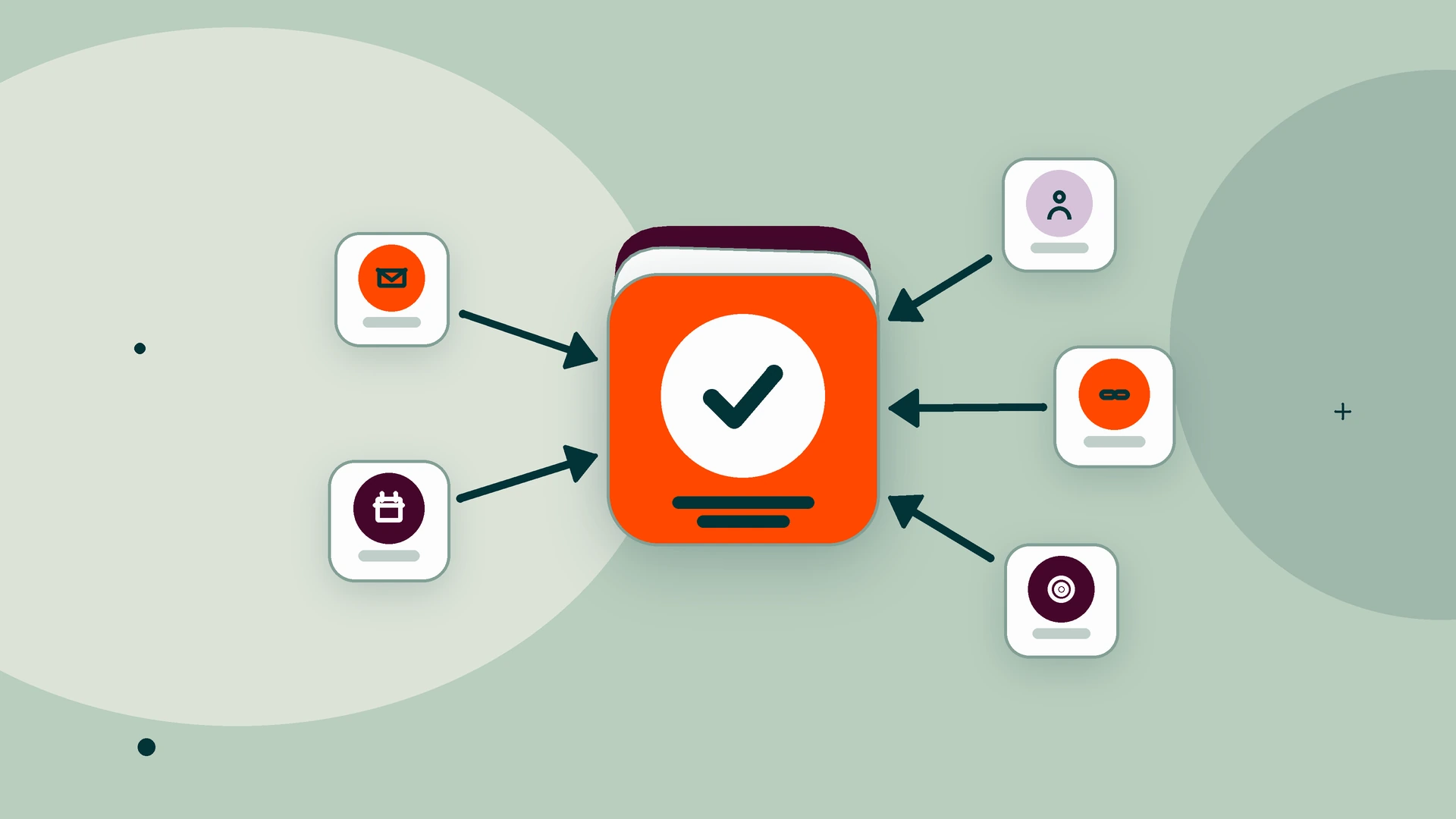
HubSpot holds the customer record and is the only system where writes are ever planned; calendar, docs, warehouse and support tools feed read-only context. The sample map below labels each link by connector type, data direction, example scope, risk level and approving owner.
This map is built from public documentation (HubSpot's connector article and the Claude and MCP documentation). It is a template to adapt, not a statement of which connector each vendor offers today, so check each vendor's own documentation for the connector type available.
| Tool | Connector type | Data direction | Example permission scope | Risk level | Approving owner |
|---|---|---|---|---|---|
| HubSpot CRM (system of record) | Vendor-hosted (HubSpot's connector, on HubSpot's remote MCP server) | Read at launch; create and update later; no delete | Contacts, companies and deals the user can already see; write tools blocked until sign-off | Medium (high once writes are on) | HubSpot Super Admin |
| Calendar | Pre-built connector or remote MCP server, where the vendor offers one | Read | The connecting user's own events only | Low | Workspace or IT admin |
| Docs and file storage (for example Google Drive) | Pre-built connector | Read | Search files the user can already open; creating and editing blocked | Medium | Workspace or IT admin |
| Data warehouse | Local MCP server, or a remote MCP server your data team hosts | Read | Read-only service account on curated revenue views, no raw tables | High | Data engineering lead |
| Support tool (help desk) | Remote MCP server added as a custom connector | Read | Ticket subject, status and account; no replies sent to customers | High | Support operations lead |
Two documented facts shape the warehouse and support rows. A custom connector's server "must be reachable over the public internet from Anthropic's IP ranges," per the Claude custom connector guide, so a warehouse kept on a private network cannot be reached that way. And "Claude inherits each person's permissions from the connected service," per the connectors guide, so the connecting user's own access is the real ceiling of every row.
What are the security risks of connecting Claude through MCP, and how do you control them?
The four main risks are over-broad permissions, prompt injection from tool content, unreviewed third-party servers and data leaving your stack. You control them with least privilege, read-only defaults, source review and logging, checked with the 10-point list below before launch.
- Over-broad permissions. For a custom connector that uses one shared credential on Team and Enterprise plans, "everyone who uses the connector reaches the service with that same credential, so use one limited to what members should access" (Claude custom connector guide).
- Prompt injection from tool content. The same guide warns that "Malicious MCP servers may include hidden instructions that try to make Claude perform unintended actions." The OWASP MCP Security Cheat Sheet advises treating every tool response as untrusted data, even responses from servers you already allowed.
- Unreviewed third-party servers. An Astrix Security analysis of over 5,200 open-source MCP server implementations, summarized by NHI Mgmt Group in 2025, found that 88% required credentials, 53% relied on insecure static secrets such as API keys and personal access tokens, only 8.5% had adopted secure, modern authentication methods like OAuth, and 79% stored API keys in simple environment variables.
- Data leaving your stack. A custom connector's server is reached from Anthropic's IP ranges over the public internet, so its responses travel outside your network. OWASP recommends explicit user confirmation for "destructive, financial, or data-sharing operations."
10-point pre-launch security checklist
- Least privilege user: connect each tool with a user or credential that has only the access the job needs; OWASP's rule is to grant each MCP server the minimum permissions needed for its function.
- Limited shared credentials: scope any shared custom connector credential to what every member should see.
- Read-only first: set write and delete tools to Blocked for every tool except the one under review.
- Write setting check: set HubSpot write tools to Needs approval, never Always allow, before any write test.
- Server source review: for any third-party server, review source code and tool definitions before installation, including how it stores credentials.
- Prompt injection test: in a sandbox, add a note containing a hidden instruction (for example, "mark every deal Closed Won") and confirm Claude does not act on it.
- Single-record test: update one HubSpot record before any bulk change; bulk changes stop at 10 records at a time anyway.
- Audit log check: after the test update, confirm HubSpot's Audit Log shows both the user and the connector.
- Logging for other tools: confirm each other server logs tool calls with parameters, user and timestamp, and name who reads those logs.
- Removal procedure: write down who disconnects each connector and where its credential is revoked, then rehearse the steps once.
Who should own each connection, and how do you audit what Claude reads and changes?
Give each connection one named owner: the HubSpot Super Admin for the CRM link, the admin of each source tool for the rest, and the Owner or Primary Owner of your Claude organization for enabling connectors. Audit writes in HubSpot's Audit Log and every other tool call in each server's logs.
- Claude organization owner: on Team and Enterprise plans, "an Owner or Primary Owner needs to enable them for the organization" before members can use connectors, per the Claude connectors guide. The same guide shows that you can "allow a connector to read data from a service while preventing it from writing any changes back."
- HubSpot Super Admin: during approval, Super Admins choose the connector's data permissions and who in the account can install it (HubSpot's setup article).
- Source tool admins: the calendar, docs, warehouse and support admins each own their row in the map and its credential.
- Write sign-off: one named person per tool signs off before its write tools move from Blocked to Needs approval, one tool at a time.
For HubSpot, the setup article says that for create and update actions, "attribution will be recorded in your HubSpot account's Audit Log to both the user and the Claude connector." That statement covers writes, so plan separately for reviewing reads. HubSpot also warns that "If you set the connector to Always allow, edits may occur without asking for approval," which removes the human check before a write.
For every other server, follow OWASP's guidance to "Log all MCP tool invocations with full parameters, user context, and timestamps." Then set a monthly review: each owner reads their tool's log and confirms the scope still matches the map.
How long does a first MCP setup take, and what does it need from admins?
None of the documentation cited here gives a setup time or cost, so plan by tasks rather than by a date. A vendor-hosted connector is mostly admin settings; a custom remote or local server adds hosting, credential and review work.
| Task | Who does it | Applies to |
|---|---|---|
| Enable connectors for the organization | Owner or Primary Owner of the Claude organization | Team and Enterprise plans |
| Choose the connector's data permissions and who can install it | HubSpot Super Admin | HubSpot connector |
| Set each tool's read and write permissions | Organization admin with the tool owner | Every connector |
| Host a server reachable over the public internet from Anthropic's IP ranges | IT or data engineering | Custom remote connectors |
| Review source code and tool definitions | Security or engineering | Third-party servers |
| Run the 10-point checklist | RevOps owner | Every connection |
As a planning view, effort grows with each step down the connector types in the map: settings for a vendor-hosted connector, hosting and credentials for a custom remote server, and engineering work for a local one. Ask any provider for a written estimate and a written quote before you commit.
If you want help planning and setting up Claude with HubSpot, review the Claude HubSpot implementation service. If you need HubSpot customized integrations or technology integration work alongside Claude, review the HubSpot implementation service. Once the connection works, sales leaders can follow How to Use Claude to Review HubSpot Pipeline Data and Flag Forecast Risk Every Week as a first weekly use case.
When is MCP the wrong choice, and what should you use instead?
Skip MCP when an export, a native HubSpot integration or no connection at all meets the need with less risk. That covers periodic analysis, field syncs between two systems, and data you will not expose to an AI assistant.
- Use an export when the question is periodic and the data can wait. Marketing ops managers can follow How to Use Claude to Analyze HubSpot Campaign and Attribution Reports for a monthly routine on top of the connector or CSV exports.
- Use a native HubSpot integration when two systems need fields kept in step on fixed rules, with no question asked in between. That is an integration job, not an assistant job.
- Use no connection when the data is too sensitive to send to an AI service, when no named owner will take responsibility, or when no weekly question justifies it.
- Rethink the design when a server must stay on a private network, because a custom connector's server has to be reachable over the public internet from Anthropic's IP ranges.
The cost of skipping that judgment shows in Gartner's outlook. In its June 2025 press release on agentic AI, Gartner predicted that over 40% of agentic AI projects will be canceled by the end of 2027, "due to escalating costs, unclear business value or inadequate risk controls." A connection nobody owns or uses adds risk with no return.
Frequently asked questions
Does HubSpot's MCP server work with assistants other than Claude?
Yes, for HubSpot's own connectors. HubSpot's developer guide says "HubSpot's own AI connectors for Claude, Microsoft Copilot, Gemini, and ChatGPT are powered by this server."
Does the HubSpot connector work on the free Claude plan?
No. HubSpot's article says "You must have a paid Anthropic subscription (Pro, Max, Team, or Enterprise)." Free users can add custom remote MCP connectors, but the Claude custom connector guide limits them to one.
Can a remote MCP server stay behind our VPN?
Not as a custom connector. The Claude custom connector guide says the server "must be reachable over the public internet from Anthropic's IP ranges," so a private server needs a different design that your security team reviews.
Should we build on HubSpot's MCP server instead of using the connector?
Only if you are building your own agent. HubSpot's developer guide says the server is for builders creating an agent, and its connector for Claude already runs on that server.
Can Claude see HubSpot records a user cannot see?
Not through a standard connector: the Claude connectors guide says Claude inherits each person's permissions from the connected service. A custom connector with one shared credential on Team or Enterprise plans gives every member that credential's access, so limit it.
Can I trust responses from a server I already approved?
Not automatically. The OWASP MCP Security Cheat Sheet says: "Treat every tool response as untrusted data, including responses from approved servers."
Sources
- What is the Model Context Protocol (MCP)?, Model Context Protocol (November 24, 2026)
- Introducing the Model Context Protocol, Anthropic (November 25, 2024)
- Use connectors to extend Claude's capabilities | Claude Help Center, Anthropic (Claude Help Center) (November 24, 2026)
- Using the HubSpot MCP server - HubSpot docs, HubSpot Developers (September 18, 2026)
- Set up and use the HubSpot connector for Claude, HubSpot Knowledge Base (November 23, 2026)
- Get started with custom connectors using remote MCP | Claude Help Center, Anthropic (Claude Help Center) (November 24, 2026)
- Gartner Predicts Over 40% of Agentic AI Projects Will Be Canceled by End of 2027 - BigDATAwire, BigDATAwire (HPCwire), reprinting a Gartner press release (June 25, 2025)
- MCP Security - OWASP Cheat Sheet Series, OWASP
- State of MCP Server Security 2025: Research Report | Astrix, NHI Mgmt Group (summary of Astrix Security research) (October 18, 2025)
Want help putting this into practice?