![HOW TO CREATE FACEBOOK LEAD ADS [STEP-BY-STEP GUIDE]](/hubfs/crear-facebook-lead-ads-featured.png)
In yesterday's post, we talked about why Facebook Lead Ads are so efficient for lead generation. Today we want to share with you this simple guide you can use to create your own ads and start improving your conversion rates.
Before creating your ads, you need to have the following ready:
- "Admin" access to your Facebook Business page.
- The URL of your privacy notice (when asking for contact details, this is a Facebook requirement).
- The image(s) you're going to use in your ads.
Next, open Ads Manager and click the green "Create Ad" button at the top right. Then, you'll need to choose your campaign objective. Click "Lead generation" or "Generate leads for your business" and give your campaign a descriptive name.
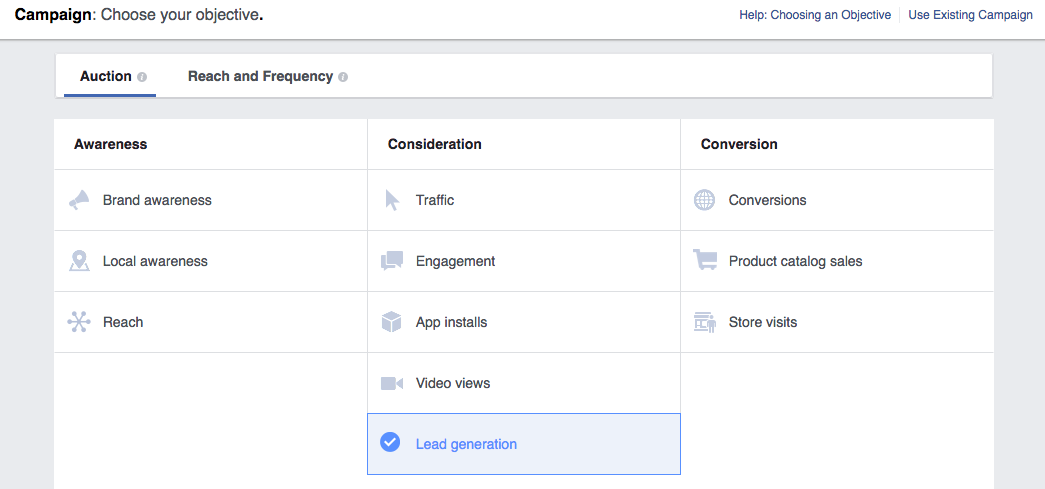
Then, fill in all the required information about your payment details and time zone. Below, select the Facebook page you want to promote and accept Facebook's terms.
Next, segment your audience. This is a very important step so that your ads reach the right people, and you don't waste money showing them to people who aren't part of your target audience. You can segment your audience by geographic location, age, gender, language, interests, work information, and many more options.
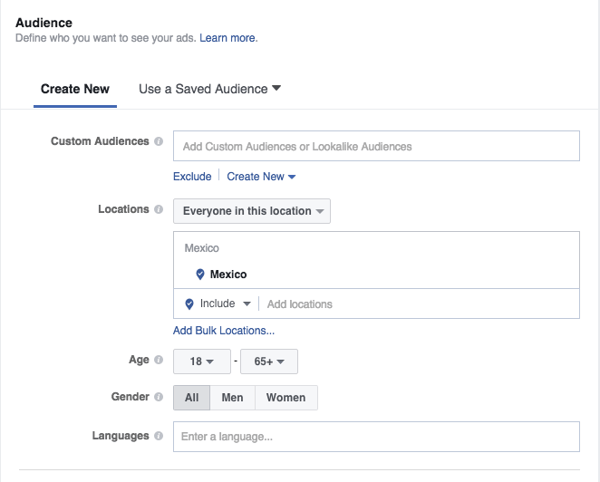
The next step is to determine in which part(s) of Facebook your ads will appear. You can determine this manually, but generally it's a good option to choose "Automatic placements" and let Facebook do it for you based on its statistics.
Next, fill in your campaign budget. You can choose between a daily budget or a total budget for the entire duration of the campaign.
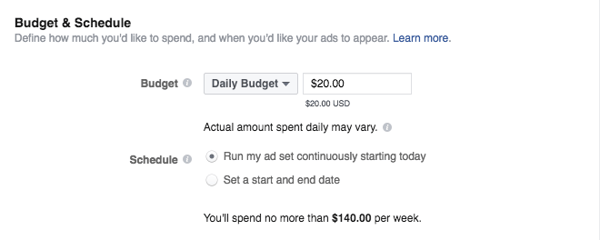
Once you've completed all these steps, it's time to create the ad. Start by determining its format(carousel, image, video, or slideshow). Then, fill in the text in the "Headline," "Text," and "Link Description" fields. Customize the CTA based on the content you're going to promote.
Finally, create the form and determine the questions you want to ask your prospects. Remember, the fewer the questions, the more people will complete the form. Think about what information you really need. Fill in all the required information, and insert the URL of your privacy notice under "Privacy Policy." Customize your "Thank you screen" and make sure it has a link to your website so interested people can visit it.
Review all the information and click "Place order". Congratulations, you've created your first Facebook Lead Ad! Don't miss our next post, where we talk about best practices for images, copywriting, and targeting, to help you achieve the best results.
If you want to learn more about marketing and digital advertising topics, subscribe to our blog and YouTube channel and get all our posts straight to your email.